Blog

How to Prevent Your Phone Battery from Swelling: Expert Tips and Solutions
A swollen phone battery is not just an inconvenience. It’s a serious safety hazard. Over time, your phone’s battery can swell, affecting its performance, and in the worst cases, it may even cause the device to malfunction or become a fire risk. Here is how to prevent battery swelling and other common battery problems.
Avoid Overheating
The most common cause of battery swelling is overheating. Avoid leaving your phone in direct sunlight or in a hot environment, such as a car. If you notice your phone getting excessively hot while in use, stop using it immediately and let it cool down.
Use an Original Charger
Always use the original charger or a manufacturer-recommended charger. Cheap or non-certified chargers can cause voltage stress, damaging the battery and increasing the risk of swelling. Similarly, ensure you use the right power adapter that matches your phone’s voltage requirements.
Avoid Fast Charging All the Time
While fast charging may seem like a quick fix, frequent use can stress the battery. Use fast charging only when necessary, and opt for standard charging for regular use to prevent overheating.
Charge Your Phone in Moderation
Avoid charging your phone to 100% regularly, and don’t let it drop to 0%. Try to maintain a charge level between 20-80%, which helps to extend battery life and prevent strain. Additionally, overnight charging should be avoided, as it can overcharge the battery, especially if it reaches 100% and stays plugged in for hours.
Keep Your Phone Cool While Charging
Charging your phone in a cool environment is key to maintaining battery health. Use your phone on a hard surface (not on a pillow or blanket) while charging to allow proper ventilation. If your phone becomes hot, unplug it and let it cool down.
Store Batteries Safely
If you need to store a battery (e.g., when you’re not using it for an extended period), place it in a cool, dry place and ensure it’s at around 50% charge. Storing batteries in extreme heat or cold can cause thermal runaway or battery expansion.
Check Battery Health Regularly
Most modern smartphones allow you to check battery health in the settings. If you notice that the battery health is below 80%, it may be time to replace the battery before it causes swelling.
What Causes Phone Battery Swelling?
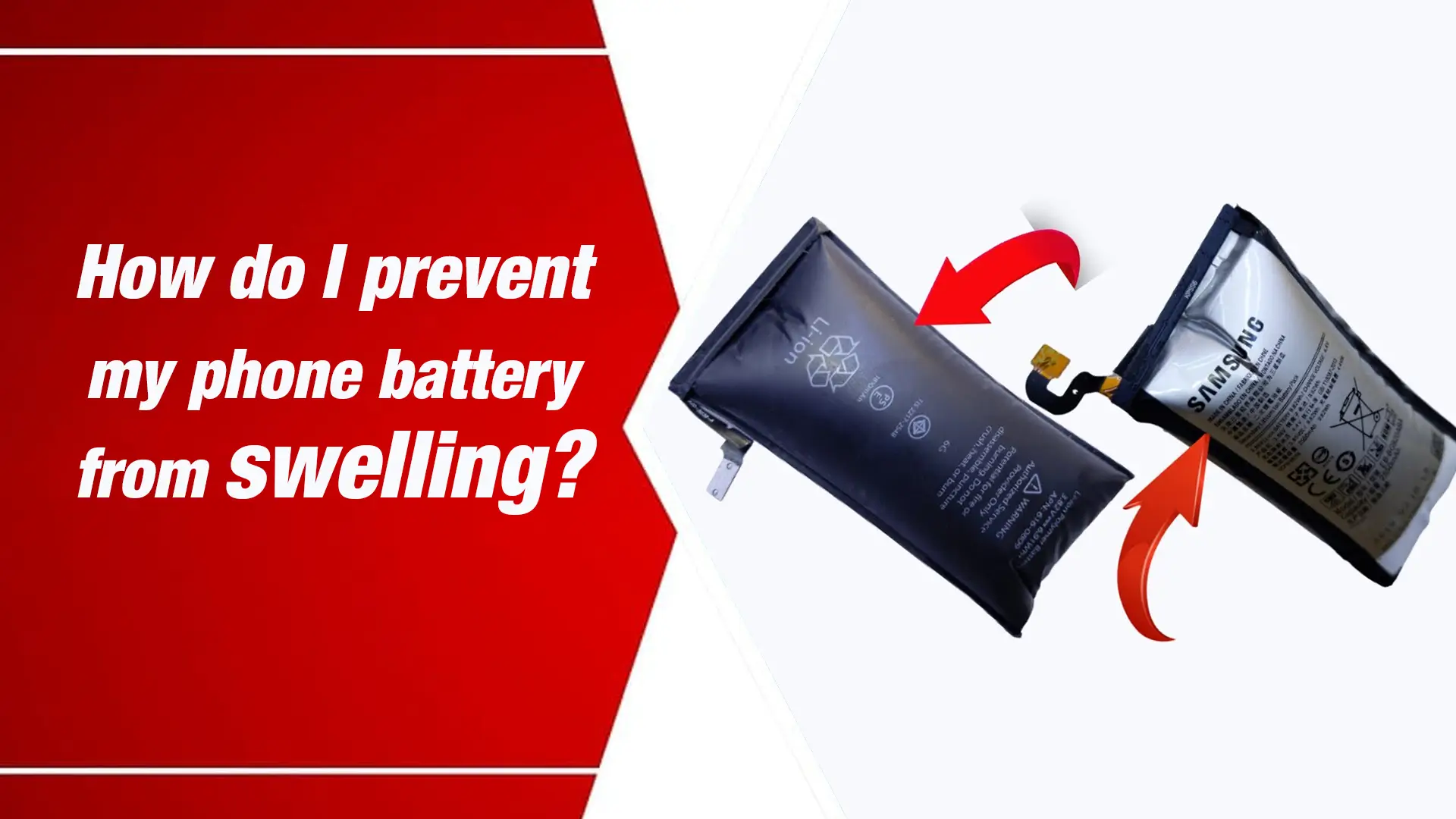
Phone battery swelling is most commonly caused by overheating, overcharging, or battery degradation. When the internal temperature rises too high, or the charging cycle is poorly managed. The lithium-ion cells inside the battery can expand, leading to internal pressure buildup. This pressure causes the battery to expand and potentially rupture.
Key Causes of Battery Swelling:
- Excessive Heat Exposure: Prolonged exposure to high temperatures, such as leaving your phone in a hot car or using it while charging in a heated environment.
- Fast Charging: While convenient, it increases heat during charging, which can strain the battery over time.
- Charging Overnight: Letting your phone charge overnight can stress the battery, leading to swelling over time.
- Battery Degradation: Over time, batteries naturally lose their capacity and health. If the battery has been used for many cycles (usually over 500), it may swell as it ages.
What to Do If Your Phone Battery Is Swelling
If you notice signs of a swollen battery, such as a bulging back cover or your phone feeling unusually heavy, it’s essential to act immediately. Here’s what to do:
- Do Not Use the Phone: A swollen battery is a potential fire hazard. Turn off your phone immediately to prevent further damage.
- Seek Professional Help: Visit a professional repair shop like Nur Telecom, where our experienced technicians, including Md Arman and Md Sohel, can safely remove and replace the swollen battery. We specialize in repairs for iPhone, Samsung, and other brands.
- Dispose of the Battery Safely: Never throw a swollen battery in the trash. Take it to a certified disposal center to ensure proper recycling.
How to Prevent Lithium-Ion Battery Swelling
Preventing swelling in lithium-ion batteries requires careful management of charging cycles and avoidance of exposure to extreme temperatures. Overcharging and high-speed charging can exacerbate the issue. So consider using battery maintenance tips, such as charging at moderate speeds and storing the phone in a cool, dry place.
Conclusion
Preventing phone battery swelling is all about taking proper care of your device. Avoid overheating, use original chargers, and manage charging cycles. If you live in Dhaka, visit Nur Telecom at Shop No. 93, Basement 2, Bashundhara City Shopping Complex, Panthapath, Dhaka 1215 for expert help on phone repairs and battery health. Our skilled technicians, such as Md Juwel and Md Mahmud, have decades of experience handling phone repairs. And can guide you on maintaining your phone’s battery to ensure it lasts longer withoutswelling.
Remember, a little prevention goes a long way in ensuring your phone stays safe and works efficiently for years to come.
By taking the right steps, you can prevent battery swelling and extend your device’s longevity.
FAQs:
How long does it take for a battery to swell?
Swelling usually occurs after prolonged exposure to heat or frequent overcharging, typically over several months or years of use.
What should I do if my phone’s battery is swelling?
Turn off your phone and take it to a professional technician for replacement.
Does fast charging cause battery swelling?
Frequent fast charging can contribute to swelling due to the heat generated during the process.