

NUR TELECOM / PRODUCTS
OnePlus Back Camera
Active filters Clear filters
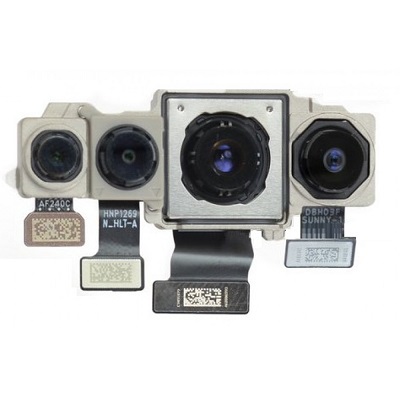
Oneplus Nord Back Camera Price in Bangladesh
৳3,399.00 ৳3,499.00

OnePlus 7T Pro Back Camera Price in Bangladesh
৳2,799.00 ৳2,999.00

OnePlus 3 Back Camera Replacement Available
৳899.00 ৳999.00
Everything You Need to Know About the OnePlus Back Camera
OnePlus has consistently enhanced its camera capabilities, offering high megapixel sensors, improved color accuracy, and smart software integration. The back camera is not just about taking good pictures – it's about delivering high-quality images with the right balance of clarity, detail, and vivid colors.In addition to its superior design, the OnePlus back camera stands out because of its seamless integration with OnePlus' OxygenOS. This enables automatic software optimizations for better photos, faster processing speeds, and overall smoother performance, making it a trusted choice for users seeking excellent camera functionality.Common Problems with the OnePlus Back Camera and Their Solutions
Even with its advanced features, like any tech product, the OnePlus back camera can face occasional issues. Below are some common problems and practical solutions to help you resolve them quickly.Blurry Photos
One of the most common issues with the OnePlus camera is blurry photos. This can be frustrating when you're trying to capture a perfect moment, but several factors might be causing the problem.Solution:
- Dirty Lens: The most frequent cause of blurry photos is a smudged or dirty lens. Gently clean your camera lens using a microfiber cloth to ensure clarity.
- Software Glitches: Sometimes, software issues can affect image quality. Ensure your phone is up-to-date with the latest software updates to fix bugs and glitches that may cause blurry images.
App Crash
Another issue users encounter is the OnePlus camera app crashing unexpectedly. This can interrupt your photography experience, but it's typically a fixable problem.Solution:
- Clear Cache: The camera app's cache might get clogged over time, leading to crashes. Go to your phone's settings and clear the cache to free up space and improve performance.
- Update the App: Make sure you have the latest version of the camera app. Updating the app can resolve bugs and improve functionality.
Slow Shutter Speed
A slow shutter speed can hinder your ability to take sharp photos, especially when photographing moving subjects.Solution:
- Adjust Settings: Check your camera settings to ensure they're optimized for fast shutter speeds, especially in bright lighting conditions.
- Use Third-Party Apps: Consider using third-party camera apps that provide more advanced controls over shutter speed and other settings to enhance your photos.