Blog

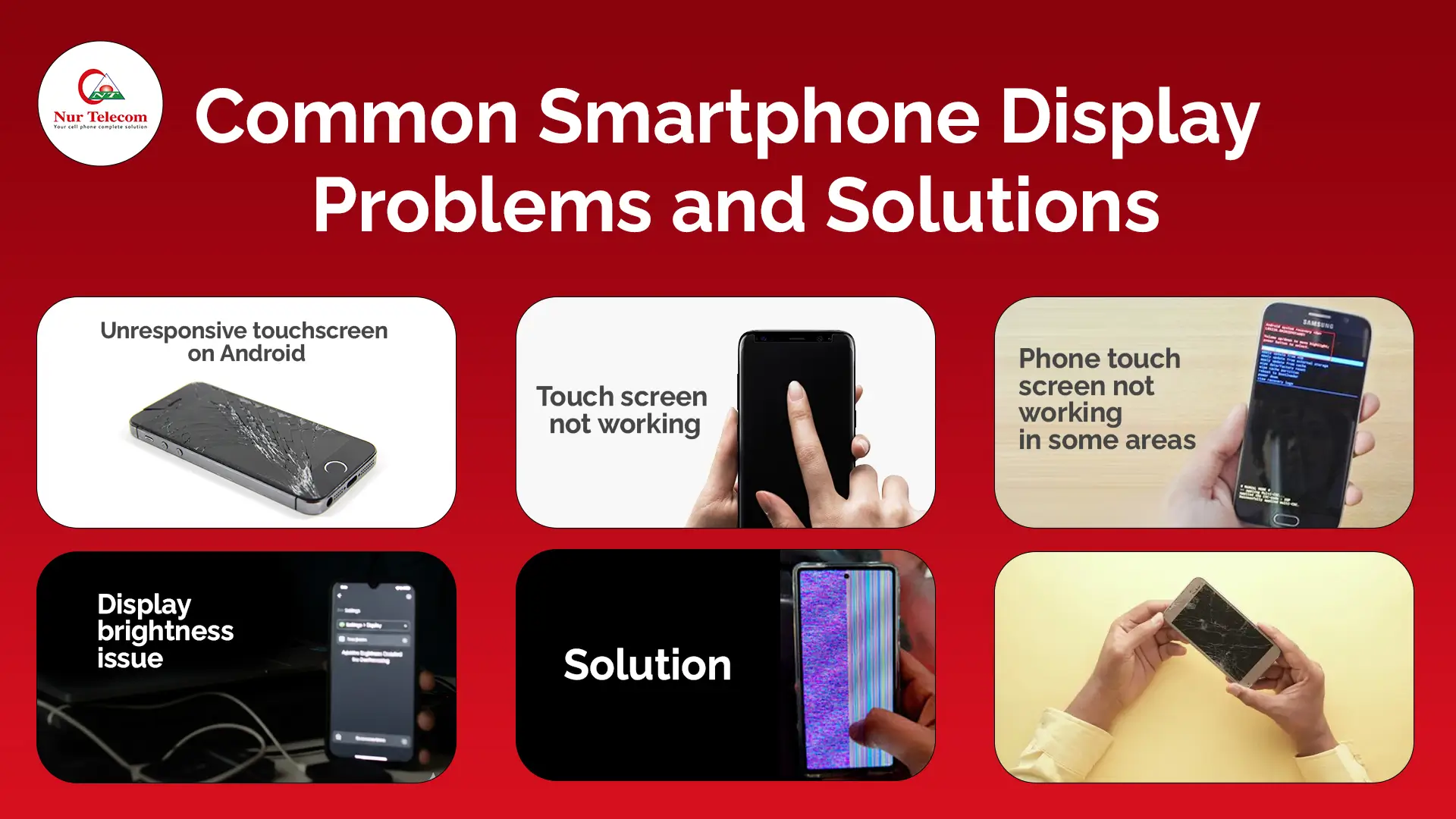
Common Mobile Display Problems
Your Mobile Display is one of the most essential parts of the device, directly affecting its usability. Whether you’re using your phone for work, socializing, or entertainment, a faulty display can be a real inconvenience. Common smartphone display issues, such as an unresponsive touchscreen or flickering display, can disrupt your daily activities. Fortunately, many of these problems can be easily fixed with the right solutions. Here are some of the most common problems and their practical solutions.
Unresponsive Touch Screen on Android
An unresponsive touch screen is one of the most frustrating display issues on Android smartphones. This problem can arise due to several factors, including software glitches, hardware faults, or even physical damage.
Possible Causes:
- Software issues: App crashes or outdated software can prevent the screen from responding.
- Physical damage: If the display or touch digitizer is cracked or damaged, the screen may not respond properly.
- Overloaded system cache: Excessive caching of files can sometimes affect touch sensitivity.
Solutions:
- Try restarting your phone or performing a soft reset.
- Clear the cache partition to remove any unnecessary files that might be causing the issue.
- If the issue persists, your phone may require a screen replacement or calibration by a professional technician.
Visit a trusted service center, such as Nur Telecom, for expert diagnosis and repair services if the unresponsive touch screen problem continues.
Touch Screen Not Working, but the Phone is On
Sometimes, the phone may appear on, but the screen remains unresponsive. This could be due to software conflicts, a loose connection inside the device, or issues with the display hardware itself.
Possible Causes:
- Software malfunction: A recent update or a corrupted app may prevent the touchscreen from functioning properly.
- Internal connection issues: Loose cables or connections inside the phone can cause the screen to be unresponsive.
Solutions:
- Try performing a soft reset or factory reset to rule out software glitches.
- If the screen remains unresponsive, consider visiting a repair shop for a diagnostic check.
Some modern service centers in Bangladesh, such as Nur Telecom, utilize diagnostic tools that can quickly identify hardware issues, including faulty touchscreens.
Phone Touch Screen Not Working in Some Areas
If only certain areas of your smartphone display aren’t responding, you might be dealing with dead zones. These are areas where the touchscreen digitizer is malfunctioning.
Possible Causes:
- Damage to the digitizer or display panel.
- Internal components, such as the connection between the screen and the motherboard, could be malfunctioning.
Solutions:
- Calibration may fix small areas of the screen that are unresponsive.
- If calibration doesn’t solve the issue, it’s likely time for a screen replacement.
If you’re experiencing touch issues, visit our store to see if a screen replacement or repair is necessary.
Display Flickering
A flickering display can be distracting, especially when you’re using your phone for long periods. This issue can occur due to various reasons, including software bugs or hardware failures. Here is how to solve the Display Flickering issue:
Possible Causes:
- Software conflicts or an outdated operating system.
- Malfunctioning display panel or a failing graphics chip.
Solutions:
- Update your phone’s software and app settings to eliminate potential conflicts.
- Lower the screen brightness or enable power-saving modes to reduce flicker.
- If the flickering persists, seek professional repair services.
Display Brightness Issues
When your smartphone screen fails to adjust brightness correctly, it can make viewing the display difficult in various lighting conditions.
Possible Causes:
- Faulty ambient light sensors that automatically adjust brightness.
- Software bugs or conflicts prevent manual brightness adjustment.
Solutions:
- Recalibrate the ambient light sensor through the phone’s settings.
- If the problem persists, a professional technician can assess whether the screen or sensor needs replacement.
Where to Service Cracked Screens in Bangladesh
Cracked screens are a common issue for smartphone users, especially with the increasing size and fragility of displays. If you need a cracked screen repaired, it’s essential to visit an authorized service center or a reputable repair shop to ensure you receive high-quality repairs.
Trusted service centers in Bangladesh include:
- Nur Telecom: Located in the Bashundhara City Shopping Complex, Dhaka, is well-known for its high-quality repair services. We have expert technicians, they are Md Juwel, Md Mahmud, Masud Rana, Rubel Hossain, Sojib Bhuiyan, Jahid Hassan, Md Arman, and Md Sohel have over 5, 8, 10, 7, 12, 10, 10, and 15 years of experience in the field, respectively
- TechFix: Located in Chittagong, offering fast and reliable screen repair services.
- PhoneCare Bangladesh: Specializing in screen repairs in Sylhet.
If you’re dealing with a cracked screen, don’t hesitate to contact Nur Telecom for a reliable repair. If you need to change your phone display, we offer a phone display changing service. The cost of changing a smartphone display is 500 to 1000 TK. However, if you purchase a display from us and book the service, you will receive a 100% service charge waiver on Android devices and a 50% waiver on iPhone devices.
Cost of Replacing a Smartphone Screen in Bangladesh
The cost of replacing a smartphone screen in Bangladesh varies depending on several factors, including the type of smartphone, the screen type (LCD, IPS, OLED, and AMOLED), and whether you opt for an original or aftermarket screen.
Estimated Costs:
- Basic models ( Xiaomi, Vivo): BDT 2,500 – 5,000
- Premium models ( iPhone, Samsung): BDT 7,000 – 40,000
- OLED or AMOLED screens: BDT 8,000 – 40,000
Consider the cost differences between authorized service centers and third-party shops. Original parts tend to be more expensive but offer higher durability and performance.
Types of Smartphone Display Panels
Smartphone screens come in different types, each with its own benefits and drawbacks. The most common display panel types are:
- LCD (Liquid Crystal Display): Generally more affordable, but can lack the deep contrast and vibrant colors of OLED.
- AMOLED (Active Matrix Organic Light Emitting Diode): Known for rich color reproduction and deeper blacks, often used in high-end smartphones.
- OLED (Organic Light Emitting Diode): Similar to AMOLED but with better overall brightness and longevity.
AI technology is making it easier to diagnose issues related to each display type, as AI tools in repair centers can automatically detect the display type and offer tailored solutions.
Original vs Aftermarket Screens in Bangladesh
When replacing your smartphone screen, you’ll have the option to choose between original and aftermarket screens. Original screens offer the best quality and performance, but they often come with a higher price tag.
Benefits of Original Screens:
- Higher durability and performance.
- Better color accuracy and screen brightness.
- Warranty coverage.
Aftermarket Screens:
- More affordable.
- Quality may vary; sometimes the colors or brightness aren’t as vibrant as the original screens.
To ensure the best quality for your phone, always opt for original smartphone screens available at trusted service centers.
Where to Buy Smartphone Displays in Bangladesh
When purchasing smartphone display panels, it’s crucial to buy from reputable sellers to avoid counterfeit parts. Here are trusted sources for purchasing screens:
Nur Telecom offers both original and high-quality screens at an affordable price in Bangladesh. We are located in the Bashundhara City shopping complex, offering a wide range of smartphone displays from various brands, including Apple, Samsung, Google Pixel, OnePlus, Vivo, Oppo, Xiaomi, Realme, Motorola, Huawei, Honor, Infinix, Tecno, Nokia, Nothing Phone, and LG, for a variety of models.
Choose authorized sellers or service centers to ensure you’re getting a genuine product that won’t compromise the performance of your smartphone.
Conclusion and Final Tips
Smartphone display issues can be frustrating, but they are often fixable with the right knowledge and tools. Whether it’s an unresponsive touch screen, a flickering display, or a cracked screen, timely repairs are essential for maintaining your phone’s usability.
Final Tips:
- Regularly update your smartphone’s software to prevent software-related display issues.
- Use a quality screen protector to avoid physical damage.
- Seek professional repair services for more complex issues, such as screen replacements or hardware malfunctions.
Don’t wait for your screen problems to worsen. Visit our physical store to get your smartphone back to peak performance.
FAQs
Why is my smartphone screen unresponsive even though it’s on?
software glitches, hardware failures, or damage to the touch panel. Try restarting or resetting your device before seeking professional assistance.
What causes screen flickering on my smartphone?
Flickering screens are often caused by software conflicts, display driver issues, or hardware faults.
How much does it cost to replace a smartphone screen in Bangladesh?
The cost depends on the brand and screen type of your phone. Prices generally range from BDT 2,500 for basic models to BDT 45,000 for premium phones.
Should I replace my smartphone screen with an original or aftermarket screen?
Original screens offer the best performance and longevity, while aftermarket screens are more affordable but may not be as durable.