Blog

Common Smartphone Battery Problems and Solutions
If you’re experiencing fast drain, sudden shutdowns, overheating while charging, or a loose back cover, you’re likely facing common smartphone battery problems. Solutions often start with simple checks but may require a safe replacement. Swelling is a red flag; stop using the phone, power it down, and get it checked as soon as possible. In Dhaka, Nur Telecom at Bashundhara City (Panthapath, Dhaka 1215) can test, replace, and verify battery safety with proper tools.
What causes most phone battery problems?
Most battery troubles stem from age (charge cycles), heat, poor charging equipment, heavy apps running in the background, or a weak cell inside the pack. Sometimes, the battery is fine, and the issue lies with the charging port, cable, or software. So the best fix starts with a correct diagnosis, not guesswork.
What you can safely do at home vs when you need a technician
At home, you can lower brightness, stop unused apps, update the system, and test another cable/charger. You should not open the phone, press a bulging back cover, or keep charging a hot device. When the phone shuts down at 20–40% or experiences a sudden increase in percentage, overheats, or shows swelling, a technician should inspect it with proper meters and handle it safely.
If your battery is swollen, stop using it and get it checked
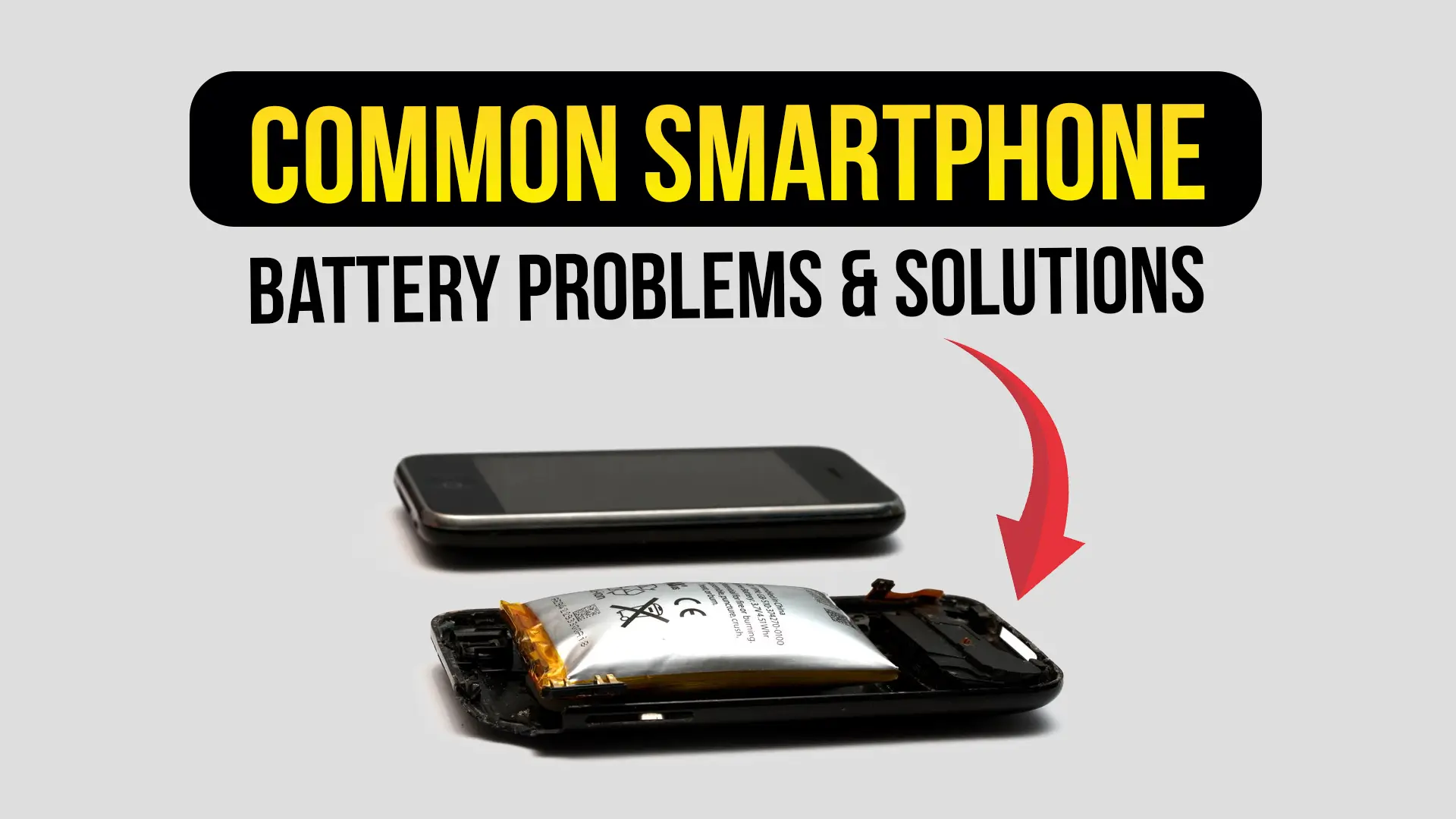
A swollen battery is not “normal warm.” It can get worse fast. Turn the phone off, unplug it, keep it away from heat, and avoid pressure on the screen or back panel. Then bring it to a trusted shop for a safe battery replacement and inspection.
Common Smartphone Battery Problems and Solutions
This section serves as the primary hub for addressing common smartphone battery issues and their corresponding solutions. Each problem below includes what you’ll notice, why it happens, what you can do safely, and when it’s time to visit a shop in Dhaka.
Fast battery draining
Symptoms
The battery drains quickly, even when the phone is not in use. Screen-on time feels “too short.” You may also see the phone warm up during light use.
Likely causes
Aging battery cells, high brightness, mobile data always on, weak signal areas, background apps, or an update that changed power settings. In some cases, a small internal short or a power chip issue may pull power quietly.
DIY checks (safe steps)
- Restart once. It sounds basic, but it clears stuck processes.
- Reduce brightness and turn on auto-brightness.
- Turn off hotspot, GPS, and 5G if you don’t need them.
- Try using a different charger and cable for one full day.
- Check battery usage in settings (steps are later in this guide).
When to visit a shop
If the drain persists after basic fixes, if the phone gets hot without heavy use, or if the battery drops from 30% to 5% in minutes. That pattern often points to cell wear or hardware pull.
Estimated repair path
Diagnosis → battery health test → check charging current and heat → replace battery if weak → run a drain test and verify stable percentage.
Phone overheats while charging/using
Symptoms
The phone becomes too hot to hold, charging slows down, or the device warns you and stops charging. Heat may happen during video, games, or even simple browsing.
Likely causes
Fast charging + heat, a thick case blocking airflow, a low-quality charger, a damaged cable, an aging battery, or heavy background tasks. Sometimes the charging port area is the source, not the battery itself.
DIY checks (safe steps)
- Remove the case during charging.
- Use an original or high-quality charger that matches your model’s watt level.
- Stop gaming while charging; it generates excessive heat.
- Charge on a hard surface, not a bed or pillow. Very important.
- If the phone is overheating, unplug it and let it cool completely.
When to visit a shop
If heat comes with swelling, a bad smell, random restarts, or charging stops repeatedly. Also, visit if the heat started right after a battery replacement—installation quality matters.
Estimated repair path
Diagnosis → check charger and cable → check charging current → inspect battery condition → replace battery if unsafe → test thermal behavior under safe load.
Phone shuts down at 20–40%
Symptoms
It shows 30%, then suddenly powers off. After you plug in, it may jump back to a higher number.
Likely causes
A worn battery can’t hold voltage under load. The percentage looks okay, but the real voltage drops, and the phone protects itself by shutting down. This is one of the most common issues observed in Bangladesh, primarily due to prolonged heat exposure and frequent quick top-ups.
DIY checks (safe steps)
- Update the OS. Sometimes battery reading improves.
- Turn on low power mode and test for one day.
- Avoid heavy apps and check if the shutdown still occurs.
When to visit a shop
If shutdown repeats more than once or twice, don’t keep pushing it. A weak battery can also stress other parts over time.
Estimated repair path
Diagnosis → load test → confirm voltage drop → battery replacement → verify stable shutdown threshold → final health report.
Battery percentage jumps or drops suddenly
Symptoms
It jumps from 55% to 70%, or drops from 40% to 15% in a short time. You may feel like the “battery meter is lying.”
Likely causes
Battery wear, poor calibration, a damaged battery management system (BMS), or a charging habit that never allows the phone to “learn” the curve. It can also happen after replacement when the battery is of low grade.
DIY checks (safe steps)
- Restart.
- Update the OS.
- Use a stable charger for a few full charge cycles (not overnight on a hot surface).
When to visit a shop
If the jumps are accompanied by heat, swelling, or sudden shutdowns. At that point, the safest step is testing and, if necessary, replacement.
Estimated repair path
Diagnosis → battery reading test → check charge curve → replace battery if unstable → verify percentage stability.
Slow charging / not charging
Symptoms
Charging takes much longer than usual, or it only charges at a certain angle. Sometimes it shows charging, but the percentage doesn’t move.
Likely causes
Bad cable, weak adapter, dust in the port, worn charging port, or battery wear. A charging IC issue can also exist, but a good shop rules out simple causes first.
DIY checks (safe steps)
- Try a different cable and adapter.
- Clean the port gently with dry air or a soft brush—no metal pins.
- Check if the phone charges faster in airplane mode.
When to visit a shop
If it only charges at an angle, the port may be loose or damaged. If it never charges, don’t keep forcing it with random chargers.
Estimated repair path
Diagnosis → cable/adapter test → port inspection → current test → decide: port service or battery replacement → final charging speed test.
Battery health drops quickly after replacement
Symptoms
You replaced the battery recently, but the drain and heat returned within weeks. The phone feels “not fixed.”
Likely causes
Low-grade battery cells, old stock (stored for too long), a mismatched model, poor adhesive seal allowing dust in, or a hidden hardware issue (such as a small short) that the old battery was masking.
DIY checks (safe steps)
- Note when the problem happens (idle vs heavy use).
- Use the original charger and avoid fast charging for a few days.
When to visit a shop
Immediately, if the new battery gets hot, swells, or drops percentage fast. A trusted repair center should verify authenticity and test the phone’s power draw.
Estimated repair path
Diagnosis → verify battery specs → test power draw → replace with a better battery if needed → inspect for hidden hardware pull → long test.
Swollen battery / lifted screen or back panel
Symptoms
The back cover lifts, the screen pops up, touch may act strangely, and the phone may rock on a table. Sometimes there’s a sweet or sharp smell. Heat may rise even during light use.
Likely causes
Gas build-up inside lithium cells can occur due to aging, heat, overcharging stress, physical damage, or the use of poor charging accessories. Swelling can also occur after exposure to water or internal damage.
DIY checks
- Stop charging.
- Power down.
- Do not press the screen back into its original position.
- Keep it away from kids, flames, and direct sun.
A very short rule: swelling = stop.
When to visit a shop
Right away. This is not a “tomorrow problem.” It is one of the common smartphone battery problems where speed and safe handling matter more than anything else.
Estimated repair path
Safe intake → inspection for damage → careful battery removal → replace battery + adhesive → test charging, heat, and percentage → confirm frame and screen safety.
Charging port vs battery confusion
Signs it’s more likely the port/cable
- Charges only at a certain angle
- The cable feels loose
- Charging stops if you touch the wire
- Another battery doesn’t change the issue (after testing)
Signs it’s more likely the battery
- Percentage jumps or shutdown at 20–40%
- Swelling or heat from the battery area
- Drain even when idle
- Phone gets warm during very light use
A skilled technician checks both. That’s how you avoid wasted money.
Symptoms of a Failing Smartphone Battery
Understanding symptoms is the fastest way to pick the right fix. In real life, common smartphone battery failing problems and solutions often overlap, so look for patterns, not one single sign.
Physical signs
If you see a lifted back panel or a screen lifting at one edge, treat it as an urgent issue. A smell, even a faint one, is also a warning. Heat that feels “wrong” is another signal—warm is normal sometimes, hot is not.
Performance signs
Phones can lag for many reasons; however, when lag is accompanied by random restarts and sudden drops, the battery is often a prime suspect. The phone needs a stable voltage; when the battery can’t deliver it, the system may reboot to protect itself.
Charging signs
Charging at an angle often indicates a port or cable issue. A stuck percentage, especially around 80–90%, may be normal if the phone is regulating its own heat, but if it remains at a constant temperature and the phone is cool, you should test with another charger and then consider visiting a shop.
“Battery vs software” checklist
Try this quick checklist before you spend money:
- Is the OS updated?
- Did you recently install a new heavy application?
- Do you have a poor signal at home or work (phone boosts power to search for the network)?
- Is the phone hot because of games, video calls, or hotspot?
- Does the drain improve when the device is in airplane mode?
If the issue persists after these checks, you’re likely dealing with battery wear or hardware failure.
The Smartphone Battery Is Draining Fast — How to Fix It
This is where many people start, because fast drain feels like the phone is “dying.” The good news is that some fixes are simple. The serious news is that this bad habit can also accelerate battery aging.
Quick fixes
Lower brightness first. Then check background apps. Location services can quietly drain power, and so can 5G in areas with weak coverage. Hotspots are a significant drain too, and they can also heat the phone; that combination makes battery life worse quickly. Know more about how to fix the battery-draining-fast problem.
One very short sentence: Cool phones last longer.
Battery hog detection
Android (most brands)
Settings → Battery → Battery usage → check which apps are high.
Then open the top app → restrict background use if it’s not important.
iPhone
Settings → Battery → look at “Battery Usage by App.”
If one app is unusually high, update it or limit its background activity.
If you see “screen” is the top cause, you already know the fix. Reduce brightness, shorten screen timeout, and use dark mode if you like it.
Charging habits that help
Many users follow the 20–80 habit: charge before it reaches 0%, and unplug around 80% when possible. It’s not magic, but it reduces stress on the battery. Heat control matters even more in Bangladesh—charging on a bed, inside a thick case, or in a hot room can quietly shorten battery life.
When the drain indicates hardware issues
If the drain happens while the phone is idle, or the phone gets warm in your pocket, a deeper issue may exist. Aging cells can leak power. In rare cases, a small short or a power-control part can draw current even when the screen is off. This is why a proper diagnosis matters; replacing the battery is common, but it’s not always the whole story.
If the drain started after a repair or update
After an update, settings may reset, or an app may misbehave. After a repair, the quality of battery connectors and adhesive matters. If your drain began right after service, return to a trusted shop for testing rather than trying random “battery saver” apps; many of those apps create more problems than they solve.
Conversion
At Nur Telecom, you can request a battery health check and receive a clear explanation of the results before making any replacements. For booking, please call or WhatsApp: 01614-956000, 01911 311112, 01952 107050, 01404 558383.
Why Do Smartphone Batteries Swell?
Swelling scares people, and it should, because it changes from a battery problem into a safety issue. In many cases, the safest, most common smartphone battery problem and solution is simply to stop using the phone.
The science
Most phones use lithium-ion or lithium-polymer batteries. Over time, chemical reactions inside the cell create gas, especially when the battery is stressed by heat or age. That gas has nowhere to go, so the battery puffs up. The cell may still “work” for a while, but it’s no longer stable.
Common triggers in the Bangladesh context
Bangladesh’s weather can be hot and humid. Add long screen time, gaming, or charging in a closed room, and the battery gets stressed. Cheap chargers can also deliver unstable power; sometimes they run hot, and sometimes they push poor-quality current, which can hurt the battery over time.
Swelling vs a normal warm battery
Normal warmth is mild and goes away after charging stops. Swelling changes the phone’s shape, lifts the screen or back, and may cause gaps. If you can see a gap, treat it as swelling until proven otherwise.
How Do I Prevent My Phone Battery From Swelling?
Prevention is easier than repair, and it’s safer. You don’t need complex tools, just better habits.
Use the right charger/cable
Use a charger that matches your phone’s supported wattage and charging standard, such as PD (Power Delivery) or QC (Quick Charge), when applicable. A random high-watt adapter isn’t always better; sometimes it adds heat, and heat is the enemy.
Avoid heat
Gaming while charging is a double load. The phone heats from the game, and the battery heats from charging. Leaving a phone in a parked car is another high-risk habit, even for a short time. Charging under a pillow is worse than most people think. It traps heat and can push a weak battery over the edge.
Stop using damaged/loose charging ports
A loose port can cause tiny heat points, unstable charging, and repeated stress on the battery. Don’t ignore it. Get it checked early.
Replace aging batteries before they become risky
If your phone is 2–3 years old and showing shutdowns, jumps, or serious drain, replacing early is often safer than waiting for swelling. This single step prevents a lot of trouble.
Will a Swollen Phone Battery Explode?
People ask this a lot. The honest answer is: it can become dangerous, but panic isn’t helpful; smart steps are.
Realistic risk: venting, fire, thermal runaway
A swollen battery can “vent,” releasing hot gas. In the worst case, heat can trigger a rapid reaction called thermal runaway, which can lead to a fire. It’s not guaranteed, yet the risk is real enough that you should treat swelling as urgent.
What NOT to do
Do not puncture the battery. Do not press it flat. Do not freeze it. Do not keep charging it “just once more.” Also, avoid storing it near heat sources while you decide what to do.
What to do immediately
Power down. Unplug. Place the phone on a non-flammable surface, away from direct sun. If possible, keep it in a safe, open area while you arrange service. Then take it to a trusted repair center for safe removal and disposal guidance.
Safe handling + disposal guidance
A good shop removes swollen batteries with care and stores them safely for proper disposal. Don’t throw a swollen battery into the regular trash. If you’re not sure what’s available near you, bring the phone to a professional center first; they can guide you based on local options.
Where to Fix a Swollen Battery in Dhaka, Bangladesh?
If you searched “swollen battery repair near me” or “phone battery replacement in Dhaka,” you’re likely looking for fast, safe service with genuine parts. Nur Telecom is set up for that kind of work.
Our Shop address: Shop No. 93, Basement 2, Bashundhara City Shopping Complex, Panthapath, Dhaka 1215. Inside Bashundhara City, head to Basement 2 and look for Shop No. 93. If you’re coming from the Panthapath side, you’ll be close to the main complex entrances, and ask any help desk for Basement 2 shop directions.
Phone / WhatsApp: 01614-956000, 01911311112
What happens during a safe swollen battery replacement
First, the phone is checked for swelling level and frame pressure. Then the device is opened carefully, and the battery is removed using safe tools and controlled heat where needed. The new battery is installed with proper adhesive, the phone is sealed, and charging/heat behavior is tested, so you don’t leave with a risky device.
How long does it usually take?
Most battery service takes 30 minutes to 2 hours, depending on the model, adhesive type, and whether extra inspection is needed.
Brands handled
We support battery service and hardware repair for many brands, including Apple, Samsung, Google Pixel, OnePlus, Vivo, Oppo, Xiaomi, Realme, Motorola, Huawei, Honor, Infinix, Tecno, Nokia, Nothing Phone, and LG.
Advanced repair capability
Battery issues sometimes hide deeper board-level faults, especially after water damage or a drop. We have expert technicians who handle smartphone hardware repairs and professional CPU reballing, which matters when a battery replacement alone doesn’t solve the root cause.
Technician experience
- Md Juwel — 5 years
- Md Mahmud — 8 years
- Masud Rana — 10 years
- Rubel Hossain — 7 years
- Sojib Bhuiyan — 12 years
- Jahid Hassan — 10 years
- Md Arman — 10 years
- Md Sohel — 15 years
They work across iPhone, iPad, Samsung, Xiaomi, OnePlus, and vivo devices, and they focus on safe diagnosis first—because that’s how you avoid repeat problems.
Smartphone Battery Price in Bangladesh
Many people ask for a fixed price, but battery pricing changes by model, supply, and quality. A better approach is: understand what shapes the price, then compare safely.
What affects battery price
A newer model usually costs more. Higher capacity (mAh) can raise cost, but it’s not the only factor. OEM or original-grade parts are priced higher than low-grade copies, and parts with a fresh manufacturing date often cost more than older stock.
Price ranges by brand category
Use this as a general guide, then confirm for your exact model:
- Budget Android models: [300 to 500]
- Mid-range Android models: [500 to 1000]
- Flagship Android models: [1000 to 1200]
- iPhone batteries: [500 to 2500]
- Google Pixel batteries: [800 to 2500]
(Practical tip: keep a monthly updated price list page and link it here. That keeps the pillar page evergreen while staying accurate.)
Extra costs to consider
Some phones need strong adhesive and careful sealing. Water-resistant models may need extra seal steps. These details are why a battery replacement cost is not always “battery only.”
Red flags of “too cheap” batteries in the BD market
If a seller promises “double mAh” without proof, or says “100% health forever,” be cautious. Very cheap batteries may be old stock or low-grade cells; they can drain fast, heat up, or swell early.
Smartphone Battery Replacement Cost in Bangladesh
People want clear numbers, so here is a straightforward breakdown you can reference.
Typical replacement cost
- Battery price: 500 to 2000 TK (varies by model)
- Assembly/service charge: 500TK
If you purchase the battery from Nur Telecom and book the service, you receive:
- 50% discount on iPhone service charge
- 100% discount on Android service charge
That means many Android customers only pay for the battery itself, while iPhone customers save on labor.
iPhone vs Android differences
iPhones may show battery messages if the battery isn’t matched to Apple’s expectations; a quality shop explains this clearly before the job. Adhesive and sealing also matter more on certain models, and testing is often more strict because iPhones are sensitive to power stability.
When replacement won’t solve it
Sometimes the battery is not the main issue. A phone can overheat due to a faulty charging chip, a damaged port, or a short on the board. This is where deep diagnosis helps; otherwise, you replace the battery, and the problem comes back.
Warranty expectations
A trustworthy shop stands behind the part and the work. We provide:
- 4-month guarantee on Android phone batteries
- 6 months on Google Pixel batteries
- 18 months on iPhone batteries
Ask what the warranty covers, how to claim it, and what signs mean you should return early.
How to Choose a Smartphone Battery Replacement
A battery is not just “a battery.” Small details decide safety and lifespan. Here are the guidelines for choosing the right mobile battery.
Compatibility checklist
Match the exact model. Check battery code, connector type, and physical size. The wrong revision can fit poorly, heat up, or show an unstable percentage.
Manufacturing date and storage
Batteries age even on the shelf. A fresh pack stored correctly usually performs better than one that has been sitting for years in a hot place.
Safety certifications and supplier credibility
Look for credible sourcing, clean packaging, and a clear seller invoice when possible. Certifications help, yet the supplier’s honesty matters just as much.
After replacement testing checklist
After replacement, a good shop should:
- Check charging speed and stability
- Monitor heat under safe use
- Confirm the percentage doesn’t jump
- Run a drain test baseline
If testing is skipped, problems can hide until you’re already home.
Original vs Aftermarket Battery for Smartphones
This is a big decision point, and the right choice depends on budget and expectations.
Pros/cons: original/OEM, high-quality aftermarket, low-grade copies
- Original/OEM-grade: better consistency, often longer life, higher price.
- High-quality aftermarket: can be a good value if sourced well and fresh.
- Low-grade copies: cheaper upfront, more risk of fast drain, heat, and early swelling.
Who should choose what
If you rely on your phone for work all day, better quality is usually worth it because downtime is costly. If the phone is a backup device, a solid aftermarket option may be enough—provided it’s not a low-grade copy.
Common myths
A “higher mAh sticker” doesn’t prove real capacity. Also, no battery stays “100% health” forever; all lithium batteries wear out over time, even with perfect habits.
Smartphone Battery Lifespan Tips
This is the part that saves money over months, not minutes. Here you will find tips on extending your mobile battery lifespan.
Daily habits
Heat control is the top habit. Partial charging is helpful too. Deep-discharging to 0% repeatedly adds stress, so avoid it when you can.
Charging accessories
Use a stable charger from a reliable brand. If your phone supports PD or QC, use gear that supports the same standard. Cheap cables can cause slow charging and overheating, which can slowly harm the battery.
When to replace
Replace when you see real-life symptoms. Shutdowns at 20–40%, swelling, big percentage jumps, or severe drain that doesn’t improve after safe fixes. Battery health numbers help, but your daily experience matters more.
Where to Buy Genuine Smartphone Batteries in Bangladesh
If you’re buying a battery, buy the right one once, because a bad battery can cost more later.
How to verify authenticity
Check packaging quality, labels, and any QR or serial system used by the supplier. Ask for an invoice or a clear source note. Real sellers don’t get angry when you ask.
Buy from trusted repair centers vs random marketplaces
Random listings can be risky. A trusted repair center has more to lose, so they usually test parts, handle returns, and provide service support. That’s why many people prefer a shop that can both supply and install. Nur Telecom is a trusted mobile service provider and seller of mobile spare parts. You will get original batteries for Apple, Samsung, Google Pixel, OnePlus, Vivo, Oppo, Xiaomi, Realme, Motorola, Huawei, Honor, Infinix, Tecno, Nokia, Nothing Phone, and LG.
FAQs
How do I know if my phone battery is failing?
Look for repeated fast drain, sudden shutdowns at 20–40%, big percentage jumps, unusual heat, or a lifted back cover. If basic fixes like lowering brightness and changing the charger don’t help, a battery health test and charging current test can confirm whether replacement is needed.
Why is my phone battery draining so fast all of a sudden?
Sudden drain often comes from a new app, an OS update changing settings, a poor network signal, or a hotspot/location running in the background. If the drain continues while the phone is idle or the device warms up without heavy use, the battery may be aging, or a hardware pull may exist.
Is a swollen phone battery dangerous?
Yes, it can be. Swelling means the battery has changed inside and may vent or overheat if stressed. Power the phone off, stop charging, avoid pressing the screen or back panel, and take it to a professional repair center for safe removal and replacement.
Can I keep using my phone if the battery is swollen?
You shouldn’t. Even if the phone still turns on, the risk rises as swelling grows, especially during charging or heavy use. Turn it off, keep it away from heat, and get it checked as soon as possible by a trusted shop in Dhaka.
How much does battery replacement cost in Bangladesh?
A typical breakdown is a battery price of 500 to 2000 TK, plus an assembly charge of 500 TK. At Nur Telecom, if you buy the battery from them and book service, you get 50% off the iPhone service charge and 100% off the Android service charge, which can reduce the total a lot.
Original vs aftermarket battery—what’s better?
Original/OEM-grade batteries usually offer more consistent performance and longer lifespan, but they cost more. High-quality aftermarket batteries can be a good choice if sourced well and fresh. Low-grade copies may be cheap upfront, yet they often drain fast, heat up, or swell early.
How long does a phone battery replacement take?
In many cases, it takes 30 minutes to 2 hours, depending on the model, adhesive strength, and whether extra checks are needed. Phones with strong sealing or water-resistance steps can take longer because careful work and testing matter.
Will replacing the battery fix overheating?
Sometimes, yes, especially if the old battery was aging, swelling, or causing voltage stress. But overheating can also be caused by a charger issue, port damage, heavy apps, or charging chip faults. A proper diagnosis checks the heat source and charging current before deciding the best fix.
Where can I replace a swollen battery in Dhaka quickly?
For fast service in Dhaka, visit Nur Telecom at Shop No. 93, Basement 2, Bashundhara City Shopping Complex, Panthapath, Dhaka 1215. They handle safe swollen battery replacement and test charging, heat, and percentage stability after installation. Call/WhatsApp: 01614-956000, 01911311112.
Does fast charging damage battery health?
Fast charging itself isn’t automatically bad, but heat is. If fast charging makes your phone hot, battery wear can speed up over time. Using a quality charger that matches your phone’s standard (like PD/QC, where supported), charging on a hard surface, and avoiding gaming while charging helps protect battery health.
How can I make my battery last longer?
Reduce heat, avoid charging on beds or under pillows, keep brightness reasonable, and limit background apps. Try partial charging when possible, and don’t push the phone to 0% every day. If you notice shutdowns, jumps, or swelling, stop and get a professional check early.